The 12 Best Tools for Product Managers in 2025 (The No-BS List)
Stop guessing. Here are the 12 best tools for product managers, from roadmapping to feedback analysis. Cut through the noise and find your perfect PM stack.
Posted by
 Backsy
Related reading
Qualitative Research Coding: From Manual Grind to AI Insights
Master qualitative research coding with a battle-tested guide. Move from tedious manual methods to smart AI analysis and find the insights that matter.
Your Customers Are Telling You How to Beat Your Competitors, but You're Not Listening
What is text analytics? A blunt guide for founders on turning messy customer feedback into a data-driven roadmap for growth and revenue.
7 Winning Formats: example of survey report that shines
Discover an example of survey report in 7 winning formats that elevate clarity, insights, and impact. Learn practical templates today.
No fluff. Here’s a quick-scan table of the best tools for product managers, categorized by the job you need to get done. Pick your bottleneck, find the tool.
| Job-to-be-Done | The Go-To Tools | Why It Wins |
|---|---|---|
| Feedback Analysis | Backsy.ai | AI-quantifies qualitative data into evidence-backed scores. |
| Roadmapping & Strategy | Productboard, Aha! Roadmaps | Purpose-built for PMs. Connects feedback to strategy. |
| Execution & Tracking | Atlassian Jira Software | The industry standard. Connects your roadmap to engineering reality. |
| Stakeholder Comms | ProductPlan, Roadmunk | Creates beautiful, shareable roadmaps that align everyone. |
| Documentation & Wikis | Notion | The ultimate flexible canvas for PRDs, specs, and knowledge bases. |
| Collaboration & Ideas | Miro | The digital whiteboard for discovery, brainstorming, and workshops. |
| Analytics & Growth | Amplitude, Pendo | Tells you what users are actually doing in your product. |
Your job is to ship products, not to become a professional software tester. The market is saturated with platforms promising to solve all your product management woes, but most just add noise. We’ve cut through the marketing fluff to create a battle-tested list of the best tools for product managers, organized by the actual jobs you need to get done: roadmapping, user feedback analysis, project management, and analytics.
This guide isn't another generic roundup. We give you the blunt pros, cons, and specific use cases for each tool. For another expert's take, see The PM's Career-Defining Stack: 12 Best Product Management Tools for 2025. Our goal is simple: help you build a lean, powerful PM tool stack that lets you focus on what matters—delivering value to your customers.
1. Backsy.ai
Backsy.ai is a feedback intelligence platform for PMs who are tired of drowning in spreadsheets of qualitative data. It ingests raw, unstructured feedback from surveys, support tickets, and interviews and turns it into verifiable, quantitative scores. It’s built to give you ammo for your roadmap decisions, grounded in actual user evidence.
What sets it apart is the lack of "black box" AI nonsense. Instead of just summarizing themes, the platform assigns attribute scores and links every score directly back to the specific quotes that generated it. This evidence-backed approach lets you instantly verify insights and build stakeholder trust. Its spam and noise filters automatically clean your data, so you're not analyzing garbage.
Key Strengths & Use Cases
- Rapid Evidence-Led Validation: Upload a CSV of user comments and get scored attributes with supporting quotes in minutes. Perfect for validating a feature hypothesis before you burn engineering cycles.
- Automated Theme Discovery: The AI suggests new attributes as it finds recurring themes, helping you uncover "unknown unknowns" without manually tagging hundreds of responses.
- Multi-Format Feedback Collection: Import data via CSV from tools like Typeform or Zendesk, or use a shareable link to collect new text and voice feedback directly.
Limitations & Considerations
The primary import method is CSV. While great for batches of feedback, it's not yet a real-time firehose for massive enterprise datasets.
Real-world Example: A SaaS company used Backsy.ai to analyze 500 open-ended NPS responses after a UI redesign. Instead of guessing, they found the top complaint wasn't the new colors (their theory) but a relocated button, backed by 87 direct quotes. They shipped a fix in one day.
Actionable Takeaway: Use Backsy.ai when you need to quantify qualitative feedback to justify a roadmap decision. It turns "I think users want this" into "Here's the data showing they need this."
Pricing
Backsy.ai has a free tier with 3 credits. From there, you can buy pay-as-you-go credit packs or subscribe: Starter ($19.99/mo for 2,000 credits), Growth ($49.99/mo for 6,000 credits), and Scale ($79.99/mo for 10,000 credits). Credits never expire, which is a rare, founder-friendly move.
2. Productboard
Productboard is a dedicated, end-to-end PM platform built to centralize feedback, prioritize what to build next, and communicate your roadmap. It excels at connecting raw customer insights to high-level business objectives. Unlike generic project management tools, Productboard's entire model is purpose-built for PM workflows.
It gives you a unified inbox for feedback from sources like Intercom, Zendesk, and even tools like Backsy.ai, allowing you to highlight insights and link them directly to feature ideas. This creates a powerful, data-backed system for prioritization.
Key Strengths & Use Cases
- Best For: Teams needing to scale their feedback processing and connect it directly to strategic roadmapping.
- Unique Feature: The "Insights" board lets you process qualitative data, tag it, and link it to feature ideas, creating a "user impact score" that quantifies demand.
- Pro Tip: Use the hierarchy feature (Objectives > Initiatives > Features) to ensure your roadmap isn't just a list of requests. This forces you to tie every feature back to a strategic goal, which is critical for developing clear examples of effective product strategies.
Pricing & Limitations
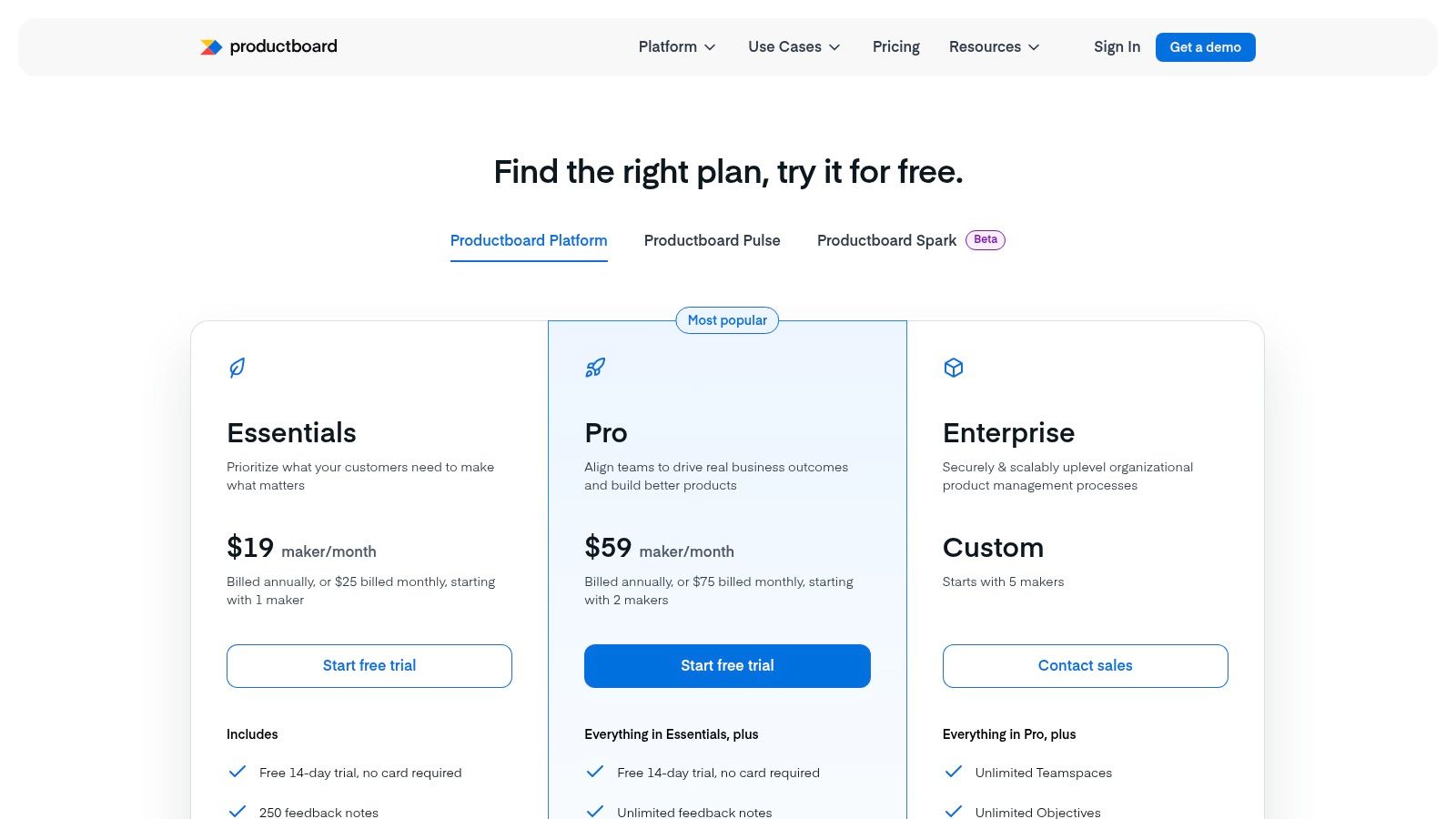
Productboard offers a free "Essentials" tier. Paid plans start at $20 per maker/month. The maker-based pricing can get expensive for larger teams, and key features are gated behind higher-tier plans.
Real-world Example: A fintech PM used the user impact score to push back on a "HiPPO" (Highest Paid Person's Opinion) feature request. By showing that the requested feature had only 3 supporting feedback points versus another feature with 150, they successfully defended their roadmap priority.
Actionable Takeaway: If your roadmap feels like a random collection of requests, use Productboard to force a direct link between customer feedback and strategic objectives.
- Pros: Purpose-built for PMs, connects feedback to strategy.
- Cons: Pricey for large teams, steeper learning curve.
Website: https://www.productboard.com/
3. Aha! Roadmaps
Aha! Roadmaps is a comprehensive suite for organizations that need to tightly align strategic goals with execution. It goes beyond simple roadmapping to offer a full ecosystem for defining strategy and planning work, making it a beast for enterprise environments. Unlike more focused tools, Aha! is modular, so you can bolt on capabilities as you need them.
Its strength is its structured, top-down workflow. You set goals and initiatives, then link every feature and release directly to those drivers. This ensures the entire product development process remains anchored to business outcomes, providing visibility for leadership.
Key Strengths & Use Cases
- Best For: Larger organizations or highly regulated industries needing deep strategic alignment and extensive reporting.
- Unique Feature: The modular add-ons (like Ideas, Develop) are a key differentiator. Start with roadmapping and expand as your needs evolve.
- Pro Tip: Use the built-in whiteboard templates for brainstorming. You can then convert concepts directly into features on your roadmap, seamlessly connecting ideation to your feature prioritization framework.
Pricing & Limitations
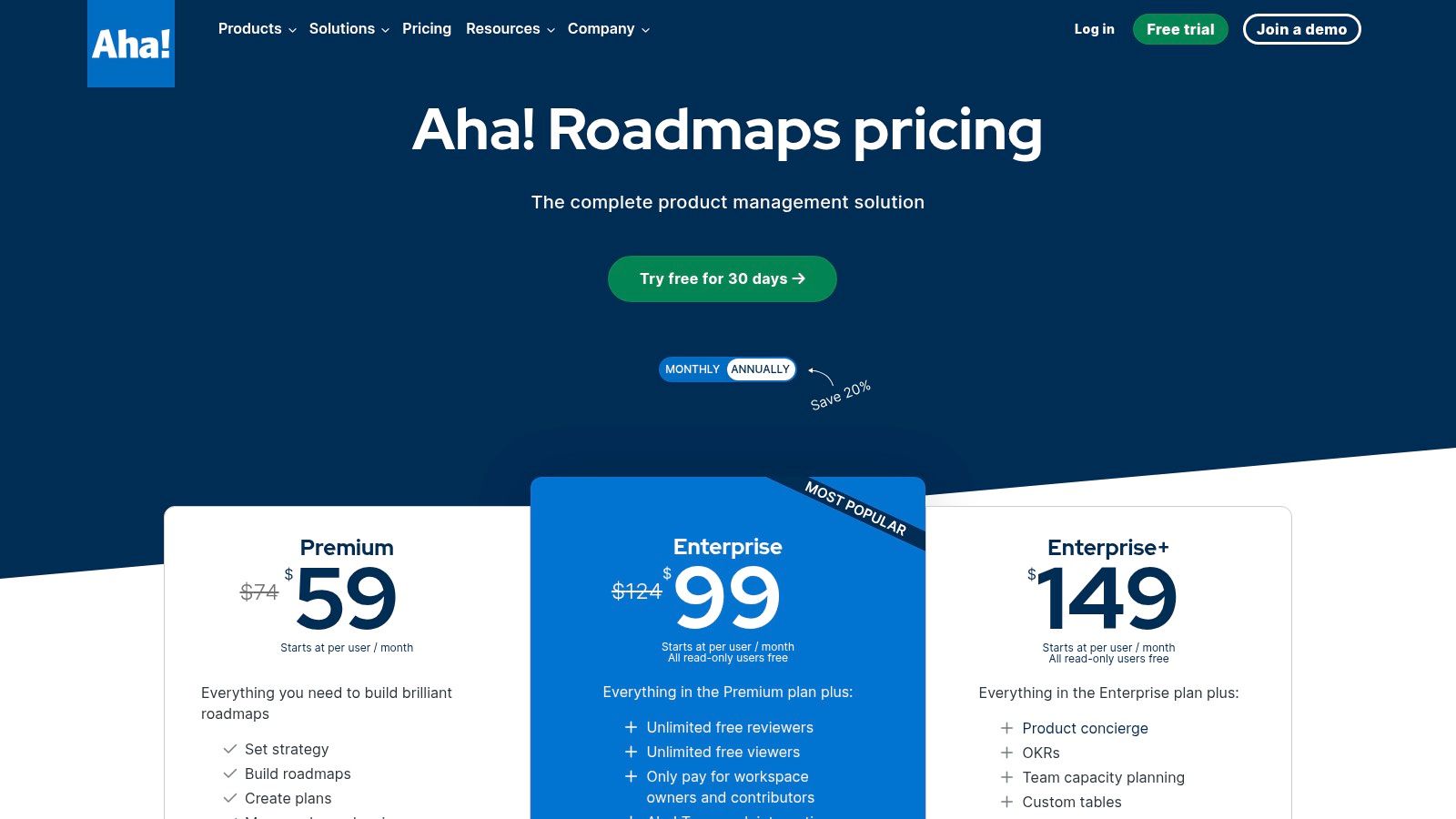
Aha! Roadmaps starts at $59 per user/month. Advanced features and additional modules cost extra. This makes it a significant investment, especially for smaller teams.
Real-world Example: A healthcare tech company used Aha! to manage a complex product portfolio. By linking all features to specific compliance initiatives (like HIPAA), the CPO could instantly generate a report for auditors showing exactly what work was being done to meet regulatory requirements.
Actionable Takeaway: Use Aha! when you need to prove to leadership that every dollar of engineering effort is tied directly to a stated business goal.
- Pros: Excellent for strategy-to-execution alignment, highly customizable.
- Cons: High entry price, can be overly complex for small teams.
Website: https://www.aha.io/roadmaps/pricing
4. Atlassian Jira Software
Jira is the de-facto standard for agile development teams. While many tools try to replace it, Jira remains one of the best tools for product managers because it’s where the work actually happens. It's less a single tool and more a platform that connects product planning to the realities of development.
Unlike dedicated roadmapping tools, Jira’s strength is its direct link to the backlog. A roadmap item in Jira can be broken down into epics, stories, and tasks that engineers pull into sprints. This tight coupling prevents the common disconnect between high-level roadmaps and day-to-day development.
Key Strengths & Use Cases
- Best For: PMs who work hand-in-hand with agile engineering teams and need a single source of truth for planning and tracking development work.
- Unique Feature: The marketplace of apps is unparalleled. You can extend Jira's functionality for test management, time tracking, and integrations with tools like Backsy.ai, making it a highly customizable hub.
- Pro Tip: Use Advanced Roadmaps (on Premium plans) to plan work across multiple teams. This feature helps visualize dependencies and capacity, turning Jira from a task tracker into a portfolio management tool.
Pricing & Limitations
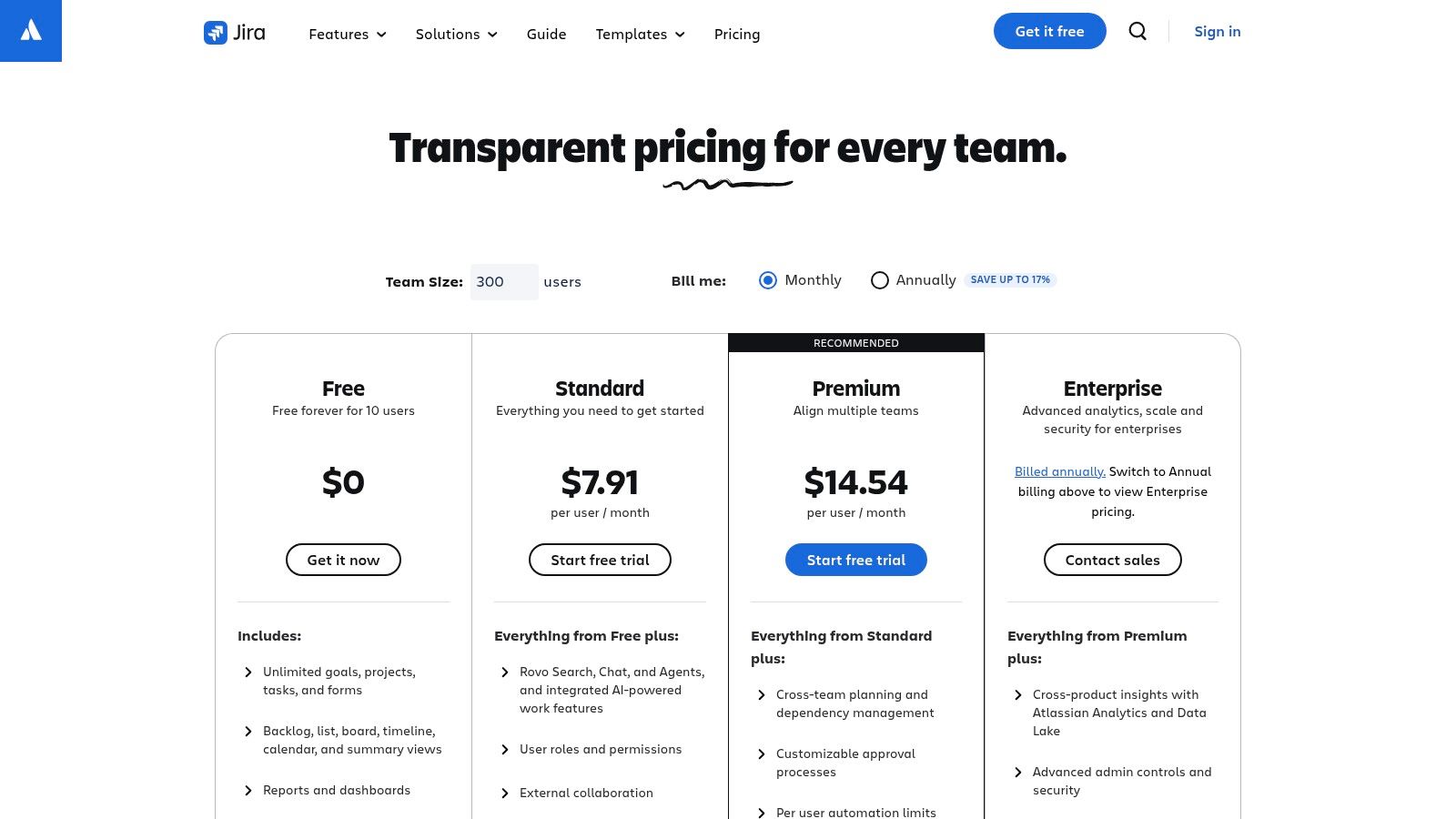
Jira has a free tier for up to 10 users. Paid plans start at $8.15 per user/month. The initial setup can be complex, and its power can translate to a steep learning curve.
Real-world Example: A PM at an e-commerce company noticed a key project was falling behind. Using Jira's dependency mapping, they identified that the bottleneck wasn't their team, but a delay in the platform team's API delivery. They were able to escalate with specific data, unblocking the project.
Actionable Takeaway: Stop using roadmaps that exist in a vacuum. Integrate your planning tool with Jira to ensure your strategy is grounded in your team’s actual capacity.
- Pros: Highly scalable, powerful integrations, massive marketplace.
- Cons: Overly complex for small teams, key PM features locked behind expensive plans.
Website: https://www.atlassian.com/software/jira/pricing
5. ProductPlan
ProductPlan is a dedicated roadmapping tool designed to help PMs create, share, and present beautiful, high-level strategic plans. Its primary strength is stakeholder communication. Unlike complex end-to-end platforms, ProductPlan focuses on making roadmaps easy to build and even easier for the entire organization to understand.
It offers unlimited viewer access, which is a huge advantage. This model encourages widespread adoption and ensures everyone from engineering to marketing is working from the same strategic document. Its clean interface allows for quick creation of different roadmap views tailored to specific audiences.
Key Strengths & Use Cases
- Best For: Product leaders who need a powerful, yet straightforward, tool for communicating strategy across the company.
- Unique Feature: The unlimited free viewer accounts are a game-changer. It removes the friction of sharing plans and gathering feedback.
- Pro Tip: Use the "Portfolio View" to roll up multiple team roadmaps into a single, executive-level dashboard. This provides a high-level overview of all initiatives without getting bogged down in details.
Pricing & Limitations
ProductPlan does not list public pricing and requires you to contact sales. They primarily operate on annual contracts. While its focus on roadmapping is a strength, teams needing integrated feedback management will need to pair it with other tools.
Real-world Example: Before a quarterly board meeting, a VP of Product used ProductPlan to create three versions of the same roadmap: a timeline view for the board, a team-based swimlane view for the engineering leads, and a release-focused list for the marketing team. Total time spent: 30 minutes.
Actionable Takeaway: Stop defending your roadmap in meetings with static PowerPoints. Use a live tool like ProductPlan to give stakeholders the specific view they need, on demand.
- Pros: Excellent for stakeholder communication, unlimited viewers, clean UI.
- Cons: No public pricing, annual-only contracts.
Website: https://www.productplan.com/pricing/?utm_source=openai
6. Roadmunk (Tempo Strategic Roadmaps)
Roadmunk is a visual roadmapping tool for PMs who need to clearly communicate plans and align stakeholders. Now part of the Tempo suite, it excels at creating beautiful timeline and swimlane roadmaps. Its key differentiator is an affordable model for sharing roadmaps with non-editing "reviewer" seats.
Unlike more complex platforms, Roadmunk keeps its focus on the roadmap itself. This specialization lets teams quickly visualize dependencies without getting bogged down in granular project management. Effective roadmap tools like Roadmunk are invaluable, especially when you know how to build a better product roadmap template.
Key Strengths & Use Cases
- Best For: Teams that primarily need a dedicated, presentation-ready roadmapping tool and want to share it widely.
- Unique Feature: The "Reviewer" license model is a standout. It provides a cost-effective way to give executives and sales teams view-only access without needing expensive full-user licenses.
- Pro Tip: Use the different visualization options (Timeline, Swimlane, List) for different audiences. The timeline view is great for executive presentations, while a swimlane view is better for internal planning.
Pricing & Limitations
Roadmunk plans start from $19 per user/month. Each plan includes a generous number of free reviewer seats. Key features like advanced prioritization are reserved for higher-priced tiers.
Real-world Example: A startup PM needed to get buy-in from 20 different stakeholders. Instead of paying for 20 full licenses on another platform, they used Roadmunk's reviewer seats to share the plan, collect comments, and get sign-off for a fraction of the cost.
Actionable Takeaway: If budget is the blocker to stakeholder alignment, use Roadmunk's reviewer model to give everyone visibility without breaking the bank.
- Pros: Excellent for roadmap visualization, affordable reviewer-seat model.
- Cons: Less of an all-in-one suite, key features are tiered.
Website: https://roadmunk.com/pricing/?utm_source=openai
7. ProdPad
ProdPad is a modular product management platform focused on idea management, product discovery, and lean roadmapping. It stands out by letting teams purchase only the modules they need, avoiding the bundled, one-size-fits-all approach of other tools. This makes it a cost-effective choice for teams who want to build their stack piece by piece.
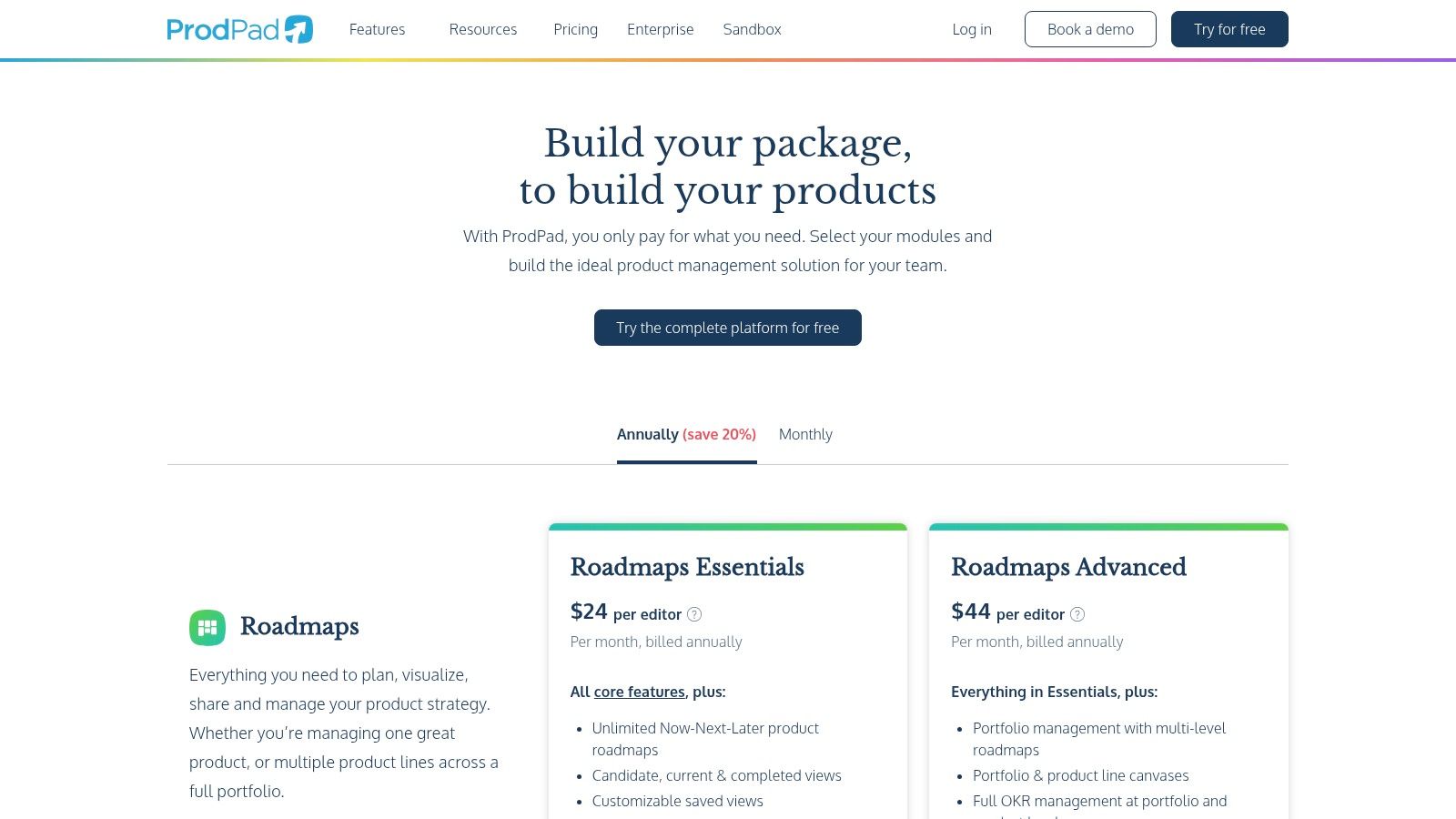
Its model includes unlimited free reviewer seats, which removes the friction of involving stakeholders from sales, marketing, or leadership in the discovery process.
Key Strengths & Use Cases
- Best For: Teams that value a modular approach and want to control costs by paying only for specific functionalities.
- Unique Feature: The mix-and-match modular packaging is its core differentiator. Start with just the Roadmap module and add Idea Management later as your processes mature.
- Pro Tip: Leverage the free reviewer seats to create a centralized feedback hub. Encourage sales and support to log customer requests directly, which helps in the continuous process of product validation.
Pricing & Limitations
ProdPad’s pricing is based on the modules you choose, starting from $24 per editor/month. While flexible, the lack of a simple public price table can make evaluation complex.
Real-world Example: A product team was great at roadmapping but terrible at managing their idea backlog, which was a messy Trello board. They bought only ProdPad's "Ideas" module to structure their intake process, without paying for a full PM suite they didn't need.
Actionable Takeaway: Don't pay for an entire product suite when you only have one broken process. Use ProdPad's modular approach to fix the one thing that's on fire.
- Pros: Flexible packaging, free reviewers, strong focus on lean principles.
- Cons: Complex pricing, evaluation can be lengthy.
Website: https://www.prodpad.com/pricing/?utm_source=openai
8. Notion
Notion has evolved from a note-taking app into a powerful, all-in-one workspace. It’s the ultimate flexible canvas for creating PRDs, roadmaps, user research repositories, and stakeholder updates. Unlike purpose-built tools with rigid structures, Notion gives you the building blocks to design the exact PM operating system your team needs.
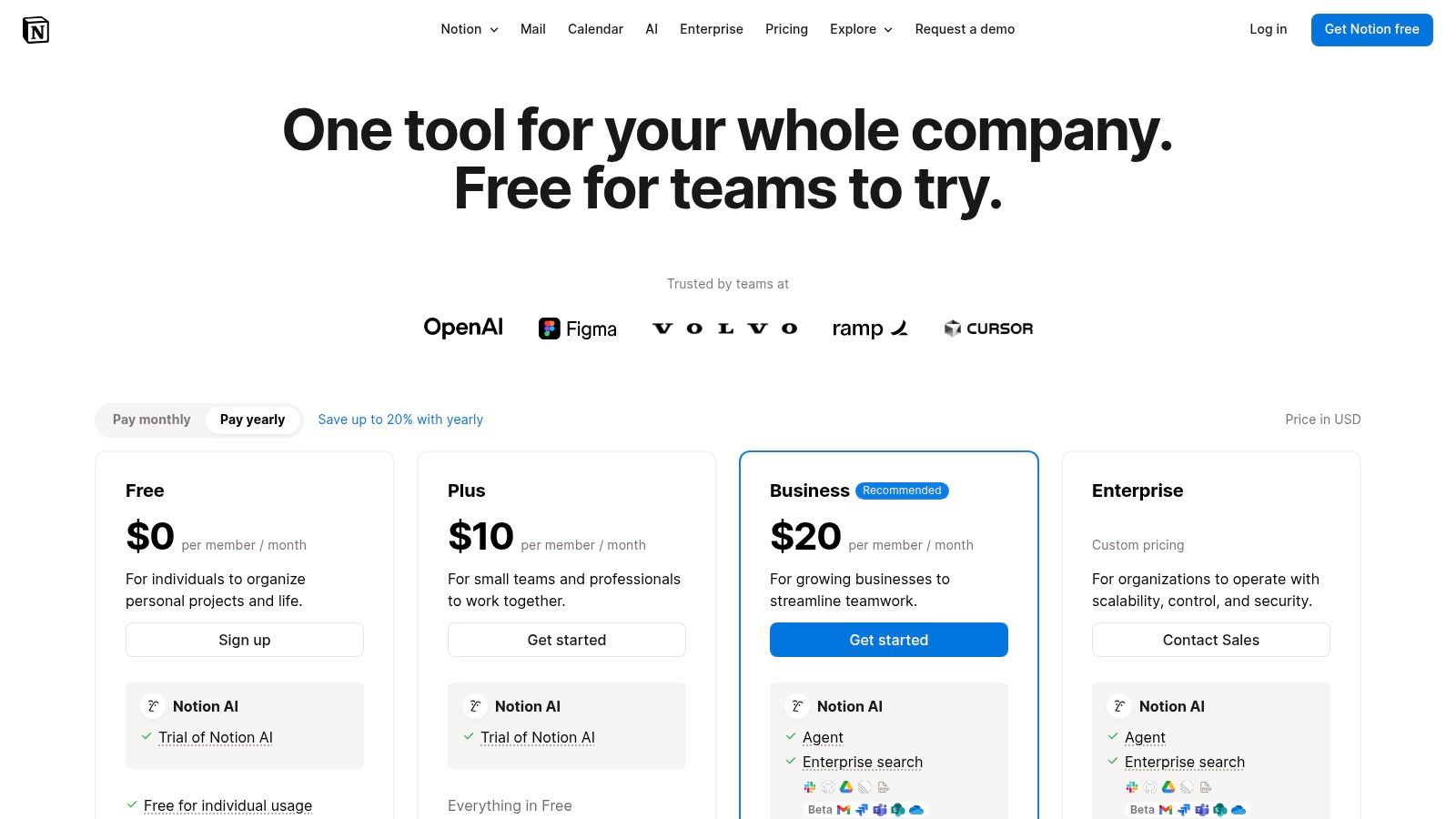
Its strength lies in connecting disparate documents. A feature idea on a roadmap can be a database item that links directly to its full PRD, a table of user feedback, and relevant meeting notes, all within the same ecosystem.
Key Strengths & Use Cases
- Best For: Startups and teams that want maximum flexibility to build their own PM stack without buying multiple single-purpose tools.
- Unique Feature: The database functionality is Notion’s superpower. You can create a single set of data and visualize it as a Kanban board, timeline, or calendar simultaneously.
- Pro Tip: Don't build from scratch. Leverage Notion’s vast ecosystem of community and official templates for PRDs and roadmaps. Enforce a clear information architecture early to prevent your workspace from becoming a digital junk drawer.
Pricing & Limitations
Notion has a generous free tier. Paid plans are competitively priced, starting at $8 per user/month. Its primary limitation is that it’s not a specialized PM tool; it lacks built-in features like user impact scoring or direct feedback integrations, which requires manual work.
Real-world Example: A seed-stage startup runs its entire company on Notion. The product roadmap is a database, where each feature is a page containing the PRD, design mockups, and a linked list of user interview notes. It costs them less than $50/month.
Actionable Takeaway: If you're an early-stage team, stop paying for five different tools. Consolidate your docs, tasks, and roadmaps into Notion and save your cash for things that matter.
- Pros: Extremely flexible, great for documentation, affordable.
- Cons: Requires significant setup, can become slow with large databases.
Website: https://www.notion.com/pricing?utm_source=openai
9. Miro
Miro is an infinite online whiteboard where cross-functional teams brainstorm, plan, and execute. While other tools focus on structured product management, Miro excels at the messy, creative beginning: discovery sessions, user story mapping, and retrospectives. It replaces physical whiteboards for remote and hybrid teams.
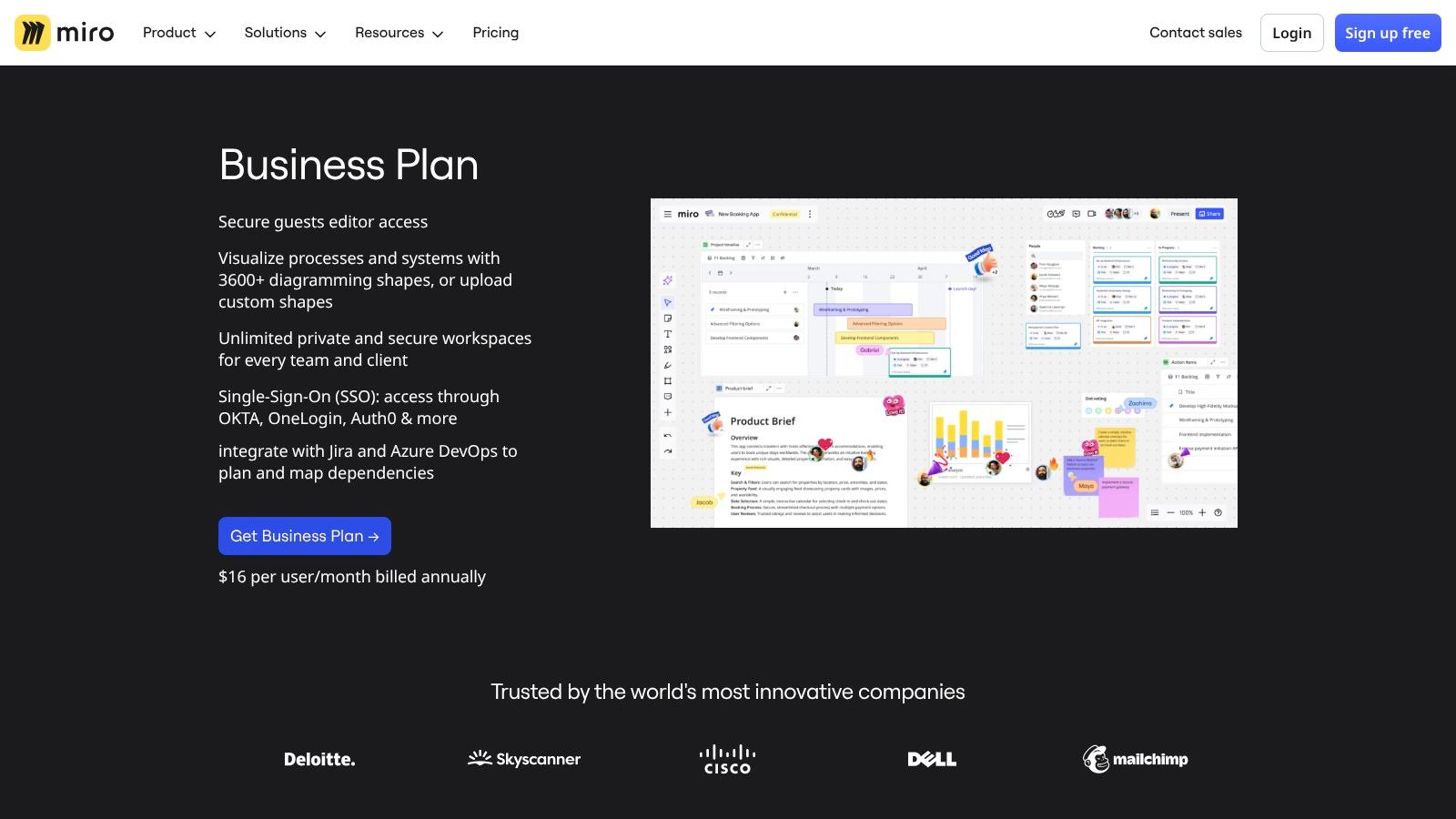
Its real-time, fluid interface allows PMs to facilitate engaging workshops that feel interactive, not static. With a vast library of templates for everything from customer journey maps to PI planning, teams can jumpstart complex conversations without starting from scratch.
Key Strengths & Use Cases
- Best For: Facilitating real-time workshops, brainstorming sessions, and strategic planning. Indispensable for PMs in remote or hybrid teams.
- Unique Feature: The expansive template library (Miroverse) is a game-changer. It provides proven frameworks for nearly every PM activity, saving immense amounts of time.
- Pro Tip: Use the voting and timer tools during brainstorming to keep workshops focused and democratic. This turns unstructured ideation into actionable outputs.
Pricing & Limitations
Miro offers a free plan with unlimited team members but limits you to three editable boards. Paid plans start at $8 per member/month. Active product teams will quickly hit the board limit, necessitating an upgrade.
Real-world Example: A distributed product team used Miro for a user story mapping session. They mapped out an entire epic on a shared board, with designers, engineers, and the PM all adding stickies in real-time. What would have taken a week of async emails was done in 90 minutes.
Actionable Takeaway: If your remote meetings are a snooze-fest of one person sharing their screen, move them to Miro. Collaboration isn't a spectator sport.
- Pros: Highly intuitive, excellent for facilitation, strong free plan.
- Cons: Free plan board limit is restrictive, per-user pricing adds up.
Website: https://miro.com/business-plan/?utm_source=openai
10. Amplitude
Amplitude is a product analytics platform that goes beyond simple dashboards. It combines self-serve analytics, A/B testing, and feature flagging into one integrated system. Where other tools show you what happened, Amplitude helps you understand the why behind user actions, connecting product changes directly to business outcomes.
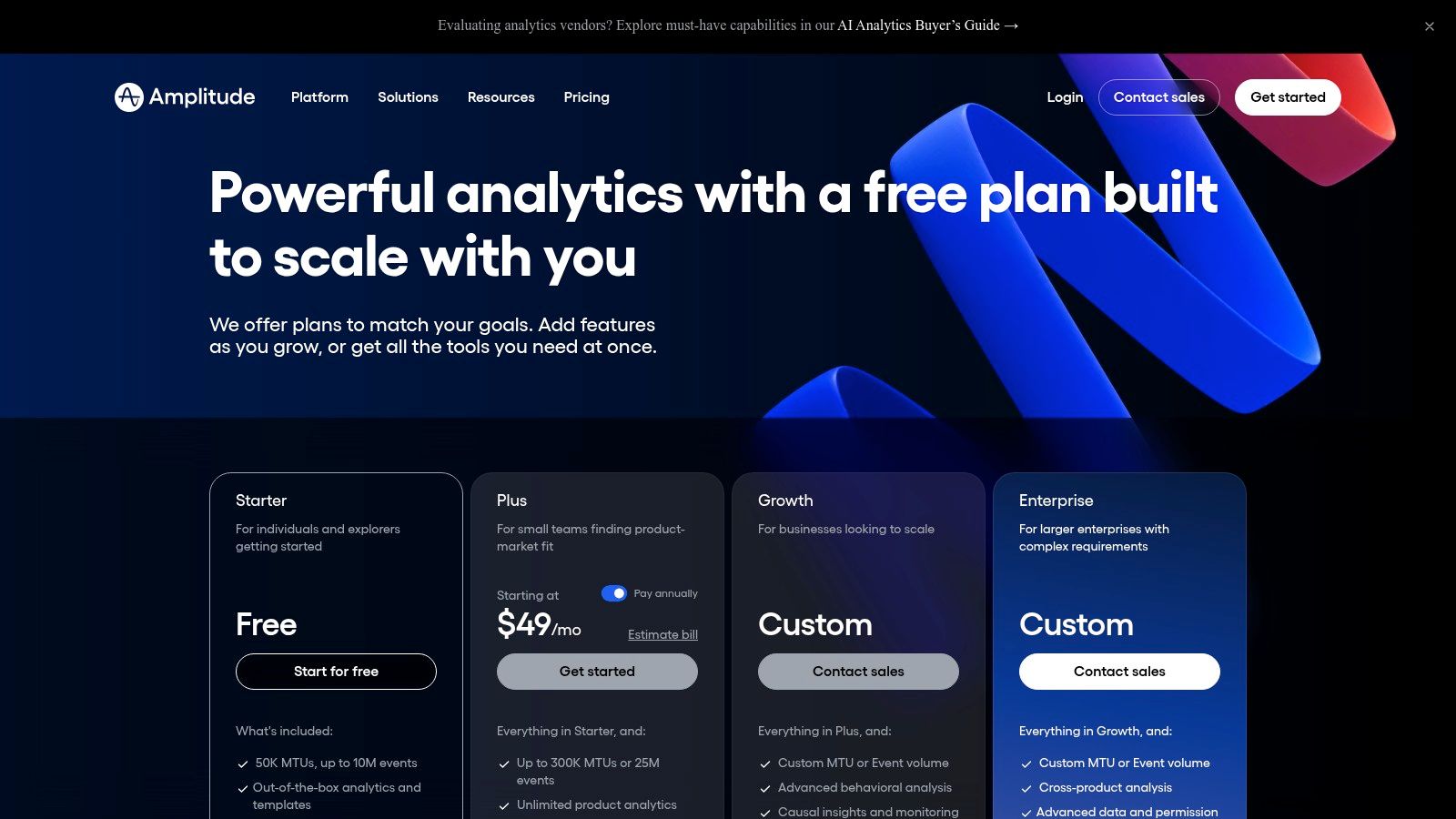
This unified approach allows teams to form a hypothesis, test it, roll it out safely using feature flags, and measure its impact, all within one platform. This makes it one of the best tools for product managers aiming to build a culture of data-informed decision-making.
Key Strengths & Use Cases
- Best For: Growth-focused product teams that need to deeply understand user funnels, retention drivers, and the impact of new features.
- Unique Feature: The combination of analytics, experimentation, and feature flags. The free plan's inclusion of unlimited feature flags is hugely valuable.
- Pro Tip: Start by instrumenting a single core user journey, like onboarding. Use funnel analysis charts to identify the biggest drop-off points, then create hypotheses and run experiments to improve that specific step.
Pricing & Limitations
Amplitude has a generous free "Starter" plan for up to 50,000 monthly tracked users (MTUs). Paid plans unlock more advanced capabilities. The pricing model is based on MTUs and event volume, which can become expensive as you scale.
Real-world Example: A mobile app team saw a 40% drop-off during onboarding. Using Amplitude, they identified the friction point was a mandatory notification permission screen. They ran an A/B test to move the screen to later in the flow, and new user activation jumped by 25%.
Actionable Takeaway: Stop shipping features and "hoping" they work. Use Amplitude to measure the actual impact on user behavior and kill what doesn't move the needle.
- Pros: Powerful free tier, integrated suite, strong focus on behavioral analytics.
- Cons: Can get expensive at scale, requires significant data instrumentation upfront.
Website: https://amplitude.com/pricing?utm_source=openai
11. Pendo
Pendo closes the loop between understanding what users do and influencing their behavior. It merges product analytics with in-app engagement tools like guides, surveys, and onboarding flows. This lets PMs not only diagnose user friction but also deploy solutions directly within the product without writing code.
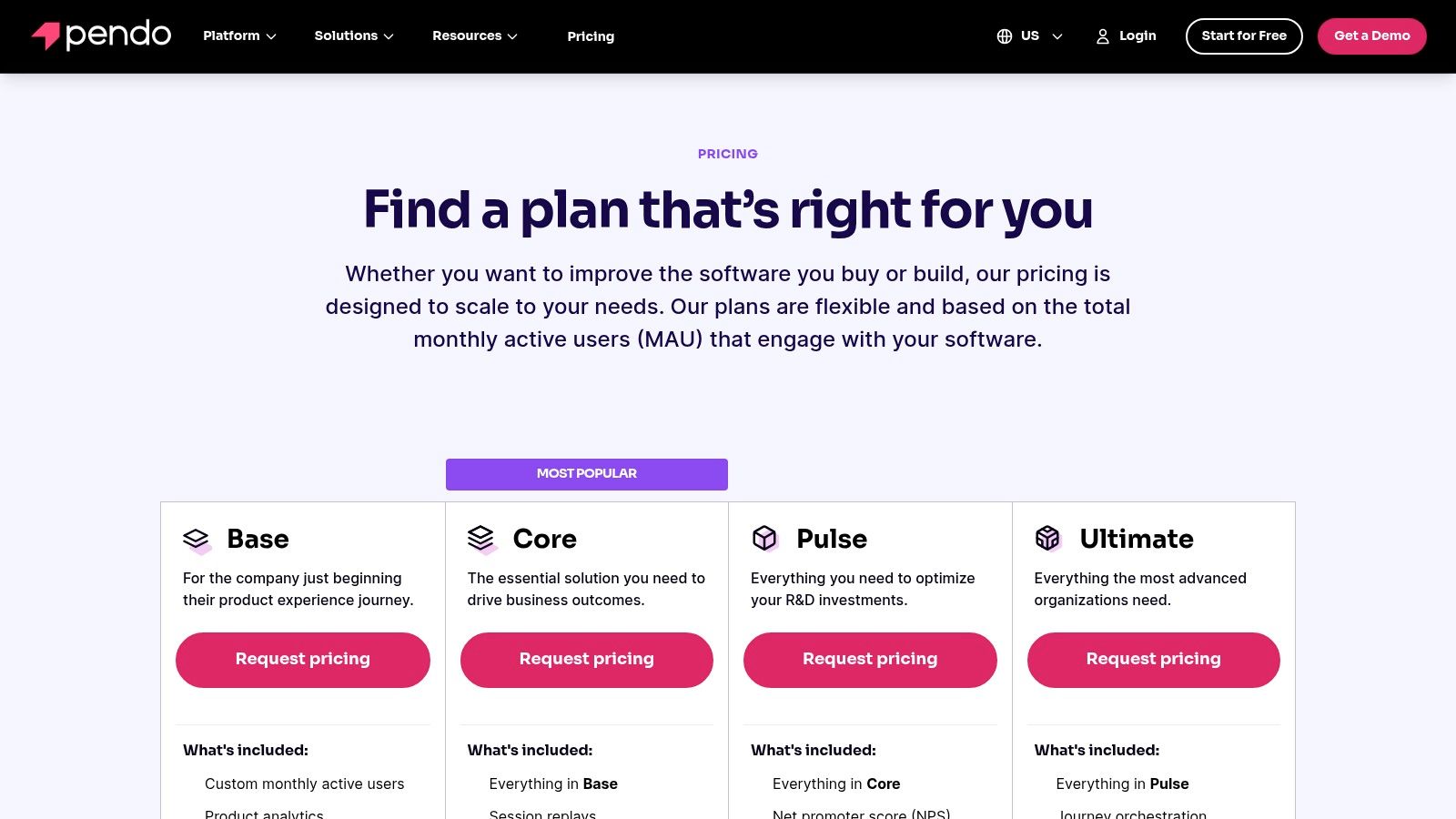
Unlike pure analytics tools, Pendo’s strength is its ability to act on insights. You can identify a drop-off point and then target that user segment with a helpful guide or a feedback survey. This transforms analytics from passive reporting into an active product improvement engine.
Key Strengths & Use Cases
- Best For: Product teams that need to directly influence user behavior and improve feature adoption. Ideal for SaaS companies looking to optimize onboarding.
- Unique Feature: The codeless in-app guides are a standout. PMs can build and launch product tours and tooltips using a visual editor, without relying on engineering.
- Pro Tip: Combine Pendo’s analytics with its NPS survey. Identify your promoters, passives, and detractors. Then, use in-app guides to target each segment: ask promoters for reviews, and offer detractors a direct line to support.
Pricing & Limitations
Pendo offers a "Free" plan for up to 500 monthly active users. Paid plans require a sales quote. This lack of transparent pricing can be a hurdle.
Real-world Example: A B2B SaaS company launched a powerful but complex new feature. Adoption was near zero. The PM used Pendo to build a 3-step in-app guide that only appeared for users who had not yet tried the feature. Within two weeks, adoption jumped by 60%.
Actionable Takeaway: If your feature adoption metrics are terrible, stop blaming marketing. Use Pendo to guide users to value directly inside the product.
- Pros: Excellent combination of analytics and action, powerful segmentation.
- Cons: Opaque pricing, can become very expensive as you scale.
Website: https://www.pendo.io/pricing/digital-adoption/?utm_source=openai
12. G2
G2 isn't a PM tool itself, but a critical discovery platform. It's a software marketplace where PMs can compare tools and read verified peer reviews before committing to demos. For PMs tasked with building their team's tech stack, G2 provides the social proof needed to make informed decisions.
The platform excels at organizing a crowded market into digestible categories. Its Grid reports and user ratings provide a quick, visual way to identify market leaders and up-and-coming solutions.
Key Strengths & Use Cases
- Best For: Product leaders evaluating new software, comparing vendors, or validating a purchasing decision with stakeholder-friendly data.
- Unique Feature: The comparison feature allows you to select up to four products and view a side-by-side analysis of user satisfaction ratings across criteria like "Ease of Use" and "Quality of Support."
- Pro Tip: Pay close attention to review recency and the reviewer's company size. A tool that's perfect for a 10-person startup may not scale for a 500-person enterprise. Use filters aggressively.
Pricing & Limitations
Using G2 for research is entirely free. The platform is monetized through vendors. This can introduce bias, as sponsored placements can influence visibility.
Real-world Example: A Director of Product was asked to choose a new roadmapping tool. Instead of running 10 demos, she used G2 to build a shortlist of the top 3 contenders based on reviews from companies of a similar size, saving weeks of evaluation time.
Actionable Takeaway: Stop trusting vendor sales decks. Start your tool search with G2 to see what actual users are saying about the software in the trenches.
- Pros: Massive volume of verified user reviews, powerful comparison tools.
- Cons: Potential for sponsored bias, pricing info can be inaccurate.
Website: https://www.g2.com/categories/product-management?utm_source=openai
Frequently Asked Questions (FAQ)
1. What are the must-have tools for a new product manager?
Start lean. You need three things: 1) A place to track engineering work (Jira), 2) A place for documentation and roadmaps (Notion is a great start), and 3) A place to analyze user feedback (like Backsy.ai). Don't buy a massive, all-in-one suite until you feel the pain of not having one.
2. How do I choose between Productboard, Aha!, and other roadmapping tools?
It's about scale and philosophy. Choose Productboard if your main problem is connecting customer feedback to your roadmap. Choose Aha! if your main problem is aligning multiple product lines with top-level corporate strategy in an enterprise setting. Choose ProductPlan or Roadmunk if your primary goal is clean, simple stakeholder communication.
3. Can I use Jira for product roadmapping?
You can, but it’s often a bad idea for strategic communication. Jira roadmaps are great for engineering teams to see dependencies and timelines. They are terrible for showing your executive team or the sales department your high-level strategy because they are too granular. Use a dedicated roadmapping tool for strategy and Jira for execution.
4. What's the difference between product analytics (Amplitude) and product engagement (Pendo)?
Amplitude tells you what users are doing (e.g., "70% of users drop off here"). Pendo does that too, but then lets you act on it without code (e.g., "Let's launch an in-app guide for those 70% of users"). Amplitude is for insight; Pendo is for insight and action.
If you’re drowning in qualitative feedback, stop trying to manually tag it in a spreadsheet. Backsy.ai scores it in minutes.
