What Is The Design Thinking Process? A Founder's Guide
What is design thinking process? A clear, no-fluff guide to empathy, ideation, and prototyping that helps you build products customers actually want.
Posted by
 Backsy
Related reading
A Founder's Guide to the New Product Development Process
A no-fluff guide to the new product development process. Learn battle-tested strategies to find problems, build MVPs, and launch products that actually win.
A Founder's Guide to the New Products Development Process That Isn't Total BS
Tired of building products nobody wants? Learn the battle-tested new products development process that separates winning startups from the graveyard.
Voice of Customer Meaning: A Founder's Guide to Not Building Useless Sh*t
Uncover the real voice of customer meaning. This is not another marketing guide—it's a founder's playbook for building products people actually buy.
Here’s the TL;DR on the design thinking process in 20 seconds. It’s a 5-step loop for building products people actually want:
- Empathize: Stop guessing. Talk to users and understand their real-world pain.
- Define: Turn that pain into a single, sharp problem statement.
- Ideate: Brainstorm every possible solution. No bad ideas allowed yet.
- Prototype: Build a cheap, fast, and ugly version of your best idea.
- Test: Put your ugly prototype in front of real users and see if it breaks.
Repeat until what you’ve built genuinely solves the problem. It’s a framework for de-risking your ideas before you sink a ton of cash into building the wrong thing.
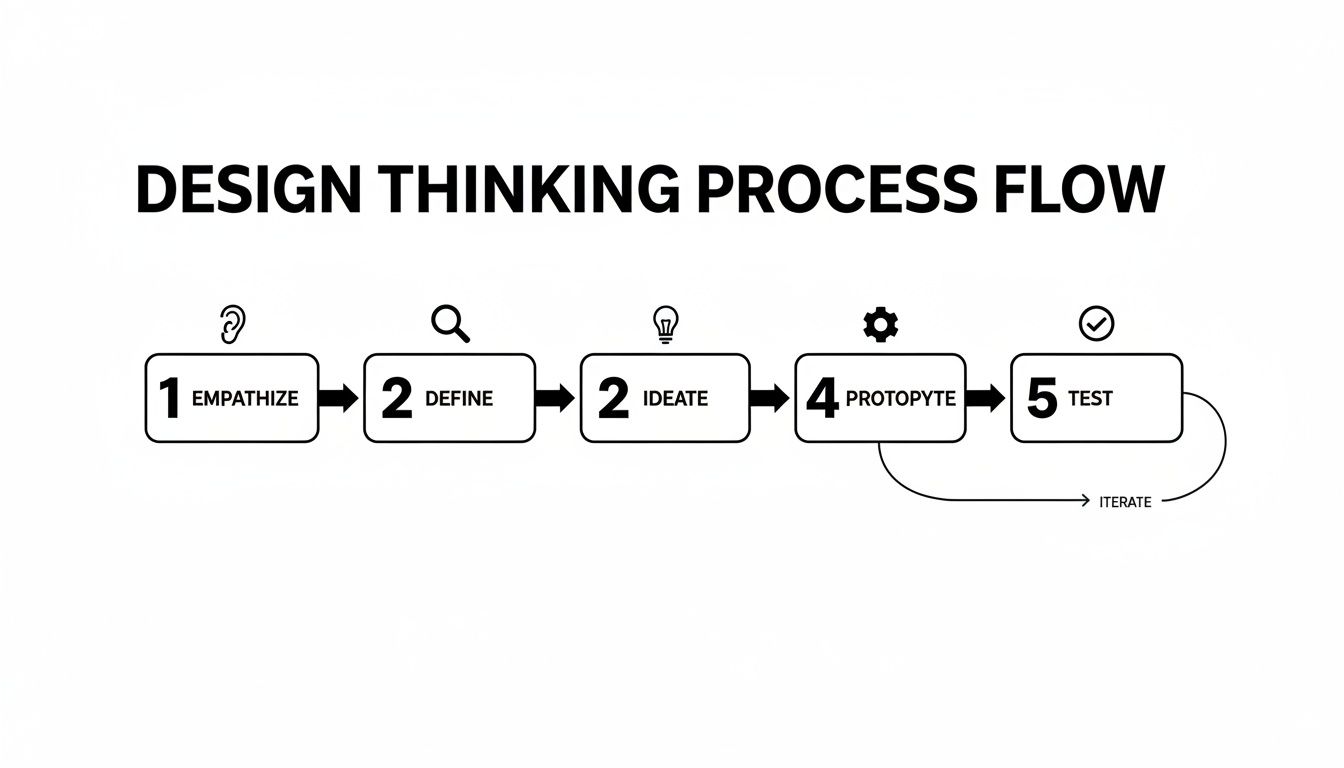
This process isn't a one-way street. Insights from the Test stage might send you right back to the Ideate stage, or even back to Define if you realize you were solving the wrong problem entirely.
The 5 Stages Of Design Thinking At A Glance
Here's a quick cheat sheet for what you're trying to accomplish at each stage.
| Stage | Core Question | Key Activity |
|---|---|---|
| Empathize | What do my users truly need, feel, and struggle with? | User interviews, observation, feedback analysis |
| Define | What is the single, focused problem we must solve? | Creating a problem statement, persona building |
| Ideate | What are all the possible solutions, good and bad? | Brainstorming sessions, mind mapping |
| Prototype | How can we make our best idea tangible and testable? | Wireframing, paper mockups, role-playing |
| Test | Does this prototype actually solve the user's problem? | Usability testing, collecting direct feedback |
Design thinking isn't a silver bullet. It has its limitations, and it's worth reading some critical perspectives on Design Thinking to get a balanced view. The framework is a tool. The magic happens when you use it to stay relentlessly focused on the human beings you're building for.
Stage 1: Empathize – Get Out Of The Building
This is where great products are born and where most ideas go to die. So many founders fall for their own clever solution before they’ve truly sat with the user's messy, complicated problem. The Empathize stage is your mandatory reality check.
It’s about shelving your brilliant idea and digging into your users' world—their real pains, their cobbled-together workarounds, and the needs they can't even articulate. Forget what you think they want. Your assumptions are your biggest enemy.
Why Your Assumptions Are Worthless
The biggest mistake a team can make is believing their own hype. You’ve spent months dissecting a problem, and you're convinced you see it with perfect clarity. You don’t.
Empathy isn't about being nice. It's about gaining a strategic advantage by understanding the battlefield—your user's daily life—better than anyone else. If you skip this, you’re just guessing with someone else's money.
The mission is to collect raw, unfiltered observations. You need to see the world through their eyes, not just ask them for a feature list. People often don't know what they want, or they’ll describe a symptom instead of the underlying disease.
Practical Methods For Real Empathy
Forget focus groups where one loud person steers the conversation. You need to get personal.
- User Interviews: This needs to feel like a conversation, not an interrogation. Your goal is to get people telling stories about their process and frustrations. Learning how to conduct user interviews that uncover genuine pain points is a non-negotiable skill.
- Observation: There is no substitute for watching people do the thing you’re trying to improve. You'll witness the clumsy workarounds and hear the quiet sighs of frustration that never make it into a support ticket.
- Qualitative Feedback Analysis: Dive into support tickets, app store reviews, and sales call notes. Look for emotional language—words like “frustrating,” “confusing,” “finally,” or “lifesaver.” These are signposts pointing to deep-seated problems.
Example: A SaaS company building project management software kept getting requests for a "more powerful reporting feature." Instead of building it, they ran five observational sessions. They watched users painstakingly export data to a CSV and spend 20 minutes wrestling with it in Excel just to answer one simple question from their boss. The real problem wasn't a lack of reports; it was that managers couldn't get a quick status update without manual grunt work. They built a simple, one-click "Manager's Digest" view instead. It solved the core problem in a fraction of the time.
Actionable Takeaway: In your next customer conversation, stop asking about features and ask about their process. Try: "Walk me through the last time you…", "What was the most frustrating part of that?", and "If you had a magic wand, what would you change?"
Stage 2: Define - Nail The Actual Problem
The raw data from the Empathy stage is a mess. It's a jumble of quotes, notes, and observations. The Define stage is where you bring order to that chaos, forging it all into a single, crystal-clear problem statement.
Get this part wrong, and you’ll waste the next six months building an elegant solution to a problem nobody has.

From Vague Pains to a Sharp Point of View
The goal is to craft a Point of View (POV) statement. This isn't a fluffy mission statement. It’s a concise, actionable sentence that frames the specific user, their deep-seated need, and the surprising insight you’ve uncovered.
A strong POV statement is built on three pillars:
- User: Who, exactly, are you helping? Not "a user," but "a busy project manager juggling multiple teams."
- Need: What is their fundamental goal? They don't need a "reporting tool"; they need to "quickly communicate project status to stakeholders."
- Insight: What’s the non-obvious truth you learned that explains why this need is so frustrating or unmet?
This structure stops you from just building another feature and focuses everyone on solving a real human problem. Understanding how to analyze qualitative data is the foundation of a great Define stage.
Your problem statement should be a weapon against scope creep. If a proposed idea doesn't directly address the defined user and their specific need, it gets shelved. No arguments, no ego.
Example: The classic Dropbox story nails this. A lazy problem definition would be: “Users need online storage.” Instead, Dropbox defined the real job: “A busy professional (user) needs a simple way to access their files across all their devices (need) because emailing files to themselves is a clumsy and unreliable workaround (insight).” That POV is electric. It’s not about storage; it's about seamless access and killing a universal, frustrating hack. This sharp focus is precisely why their first product was so simple yet powerful.
Actionable Takeaway: Use this template to craft your POV statement: Our user, [specific user description], needs a way to [verb-based user need] because [surprising insight about their current struggle]. Force your team to be relentlessly specific.
Stage 3: Ideate - Go For Volume Before Quality
You’ve distilled all your user insight into a sharp, actionable problem statement. Now comes the Ideate stage.
Don't latch onto the first decent idea that surfaces. That's a critical mistake. The goal isn't to find the best idea right away. It's to generate the most ideas possible. Volume is everything. Bad ideas often serve as weird, unexpected stepping stones to brilliant ones.
This phase is about divergent thinking—pushing outward in every conceivable direction before you even consider narrowing things down. This disciplined approach to creativity is a cornerstone of the process famously championed by places like Stanford's d.school. You can learn more about the history and impact of this framework here.
Structured Brainstorming, Not Random Stickies
Ideation isn't just tossing sticky notes at a wall. You need structured exercises that force your team out of its comfort zone.
- Crazy Eights: Grab a piece of paper, fold it into eight squares. You get eight minutes total—just 60 seconds per square—to sketch eight different ideas. The time crunch stops your inner critic.
- SCAMPER: An acronym that prods you to think differently: Substitute, Combine, Adapt, Modify, Put to another use, Eliminate, Reverse. It’s a powerful way to find novel angles.
- Worst Possible Idea: Brainstorm the absolute worst, most ridiculous solutions to your problem. It vaporizes the fear of saying something dumb and, surprisingly often, the inverse of a terrible idea is a genuinely great one.
The most dangerous phrase in a brainstorming session is "That will never work." Defer all judgment. The goal is a mountain of ideas, not a perfectly curated molehill.
Example: In their early days, Airbnb's founders were staring down a massive problem: "How do we get travelers to trust strangers enough to stay in their homes?" A typical session might have produced ideas like "better locks." But they went wider. What if hosts had detailed profiles? What if guests did, too? What about reviews? What if those reviews were two-way, so hosts could also review guests? That last idea, born from pushing past the obvious, was a breakthrough that created a system of mutual accountability.
Actionable Takeaway: To kick off your next brainstorming session and kill the awkward silence, ask: "If we had unlimited time, money, and zero technical constraints, how would we solve this?"
Stage 4: Prototype — Build to Learn, Not to Launch
An idea is just a ghost until someone can touch it. This is where the Prototype stage comes in, dragging your concepts out of your head and into the real world.
The whole point is to build the cheapest, fastest, most basic version of your solution imaginable. Why? For one single-minded reason: to learn something valuable.
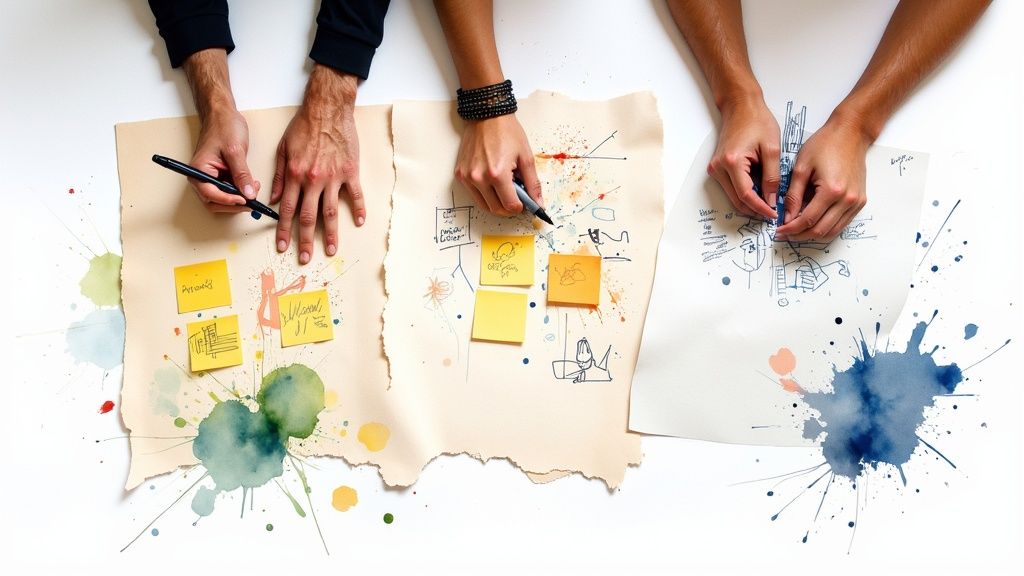
You’re not writing production-ready code. You're building just enough to get a raw, honest reaction from a real person. A quick sketch, a clickable wireframe, or even acting out a service interaction is a prototype. The goal is to make your idea tangible.
Fidelity Matters: Match The Tool To The Question
Match the "fidelity"—the level of detail—to the specific question you need to answer. Building a high-fidelity mockup when a paper sketch would do is a massive waste of time.
- Low-Fidelity (Lo-Fi): Paper sketches, rough storyboards. Perfect for testing the core concept and user flow. They’re cheap and encourage honest feedback because people aren't afraid to criticize something that's obviously unfinished.
- Medium-Fidelity (Mid-Fi): Clickable wireframes with tools like Figma or Balsamiq. Use these to test navigation, information architecture, and specific user tasks.
- High-Fidelity (Hi-Fi): Prototypes that look and feel very close to the final product. Use these later to test subtle usability issues or secure final stakeholder buy-in. For deeper insights, check out this guide to mobile prototyping for product managers.
Your prototype’s fidelity should be directly proportional to how certain you are about your idea. If you’re full of assumptions, stay lo-fi. The more you validate, the more detail you can afford to add.
| If Your Question Is About... | Then Build a... | Because... |
|---|---|---|
| The core value proposition or user flow? | Low-Fidelity Sketch | It's the fastest way to see if the basic concept even makes sense. |
| How a user navigates a specific task? | Mid-Fidelity Wireframe | You can test the logic without getting sidetracked by visual design feedback. |
| The overall usability and feel of the interface? | High-Fidelity Mockup | You need a realistic simulation to spot subtle interaction issues. |
Example: The Zappos origin story is the ultimate lesson in low-fi prototyping. Founder Nick Swinmurn had a hypothesis: people would buy shoes online. Instead of leasing a warehouse and buying inventory, he went to local shoe stores, took photos of their shoes, and posted them on a basic website. When an order came in, he would run back to the store, buy the shoes, and ship them. The "prototype" was just a website with pictures. It cost next to nothing but proved his core assumption was spot on.
Actionable Takeaway: Before you write a single line of code, write down your riskiest assumption. Then, challenge your team to build a prototype in under four hours that can prove or disprove it.
Stage 5: Test – Let Users Wreck Your Assumptions
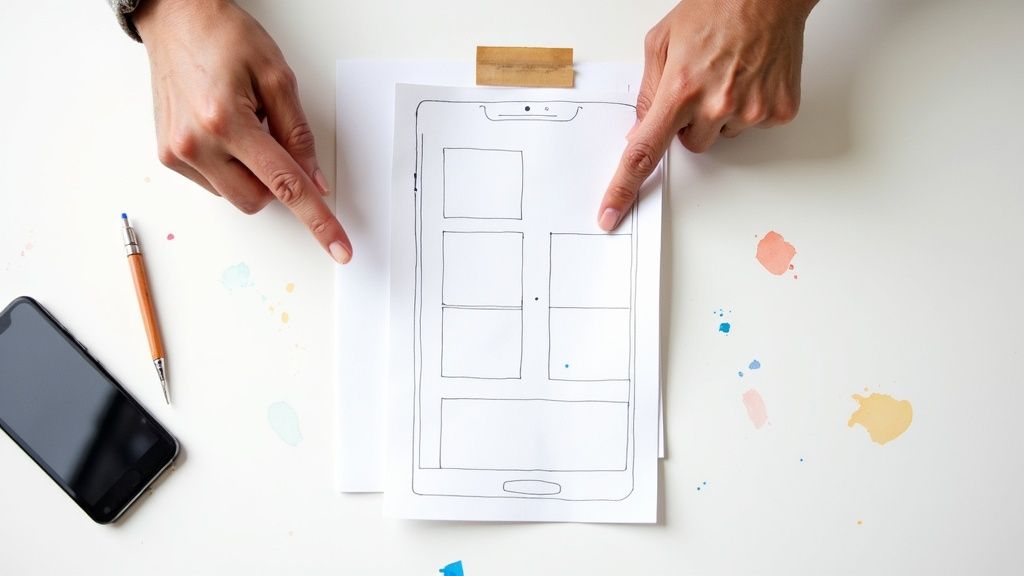
This is where your ego gets a brutal, but necessary, reality check. In the Test stage, it's time to put your creation in front of real people and see if it survives first contact.
The goal isn't to sell or defend your idea. It's to sit back, stay quiet, and watch. Your mission is to uncover every flaw, point of confusion, and awkward hesitation before you invest another dollar.
How To Get Brutally Honest Feedback
Running a good usability test is an art. If you ask the wrong questions, you'll get polite, useless feedback.
Here are the ground rules for a test that works:
- Don't ask leading questions. Never say, "This button is easy to find, right?" Instead, ask, "If you wanted to save your work, what would you do next?"
- Watch their hands, not just their mouth. What a user does is infinitely more valuable than what they say.
- Embrace the awkward silence. When a user gets stuck, fight the urge to jump in and help. Let them struggle. That uncomfortable pause is where you’ll find your most critical insights.
If you have to explain your prototype to the user, it has already failed. The design must speak for itself.
The feedback you collect here is the fuel for your next iteration. Documenting these findings is crucial. Using a solid UX research report template can help you translate raw user behavior into clear directives for your team.
Example: A mobile banking app team was proud of their "intuitive" new onboarding flow. When they put it in front of just five real users, three got stuck on the first screen. The "next" button was a subtle, low-contrast arrow that blended into the background. In their design bubble, it was elegant. In the real world, it was practically invisible. That single insight, discovered in less than an hour of testing, saved them from a launch that would have seen a massive drop-off rate.
Actionable Takeaway: Your next usability test doesn't need a formal lab. Grab five people who have never seen your product, give them one specific task to complete with your prototype, and offer them a coffee. The insights you get will be worth a thousand times more.
Frequently Asked Questions about the Design Thinking Process
Here are straight answers to the most common questions about the design thinking process.
What are the 5 stages of the design thinking process?
The five stages are Empathize, Define, Ideate, Prototype, and Test.
- Empathize: Understand your user's real-world struggles.
- Define: Pinpoint the specific problem you must solve.
- Ideate: Brainstorm as many solutions as possible, without judgment.
- Prototype: Build a quick, low-cost version of your best idea.
- Test: Put that prototype in front of real users and get unfiltered feedback.
It’s a framework that guides you from a fuzzy customer complaint to a validated solution.
How is design thinking different from agile?
They solve different problems but work brilliantly together.
- Design Thinking is for exploring the problem space. It helps you figure out what to build.
- Agile is for executing in the solution space. It helps you figure out how to build it efficiently.
You use design thinking to find the right hill to climb; you use Agile to climb it fast.
Can non-designers use the design thinking process?
Yes. In fact, they should. The name is misleading—it’s really collaborative problem-solving. Some of the most valuable insights come from engineers, marketers, and customer support folks. The process just gives them a structured way to turn that firsthand knowledge into better products. It’s about being customer-obsessed, not an artist who uses Figma.
Is the design thinking process always linear?
No. Thinking you have to follow it from step 1 to 5 is a rookie mistake. The real process is messy and iterative. An insight from the Test stage might send you right back to the Define stage to re-frame the problem. It’s not a waterfall; it's a feedback loop you run over and over until you nail it.
If you’re drowning in user interviews and feedback, stop trying to tag everything in a spreadsheet. Backsy.ai finds the patterns for you in minutes.
